4,000+ words, four levels
Start at Easy, then work up through Normal and Difficult to Extreme. Switch levels whenever you like, or practice a Custom level made from your own list.
 For iPhone · Education
Spelling bee practice for iPhone that runs like the real thing. A pronouncer says each word, you ask for the definition or a sentence, then you spell it and find out right away.
Try a word
Tap play to hear a word, then spell it.
AI-generated voice
How it works
The same three steps you’ll take at the microphone, minus the nerves.
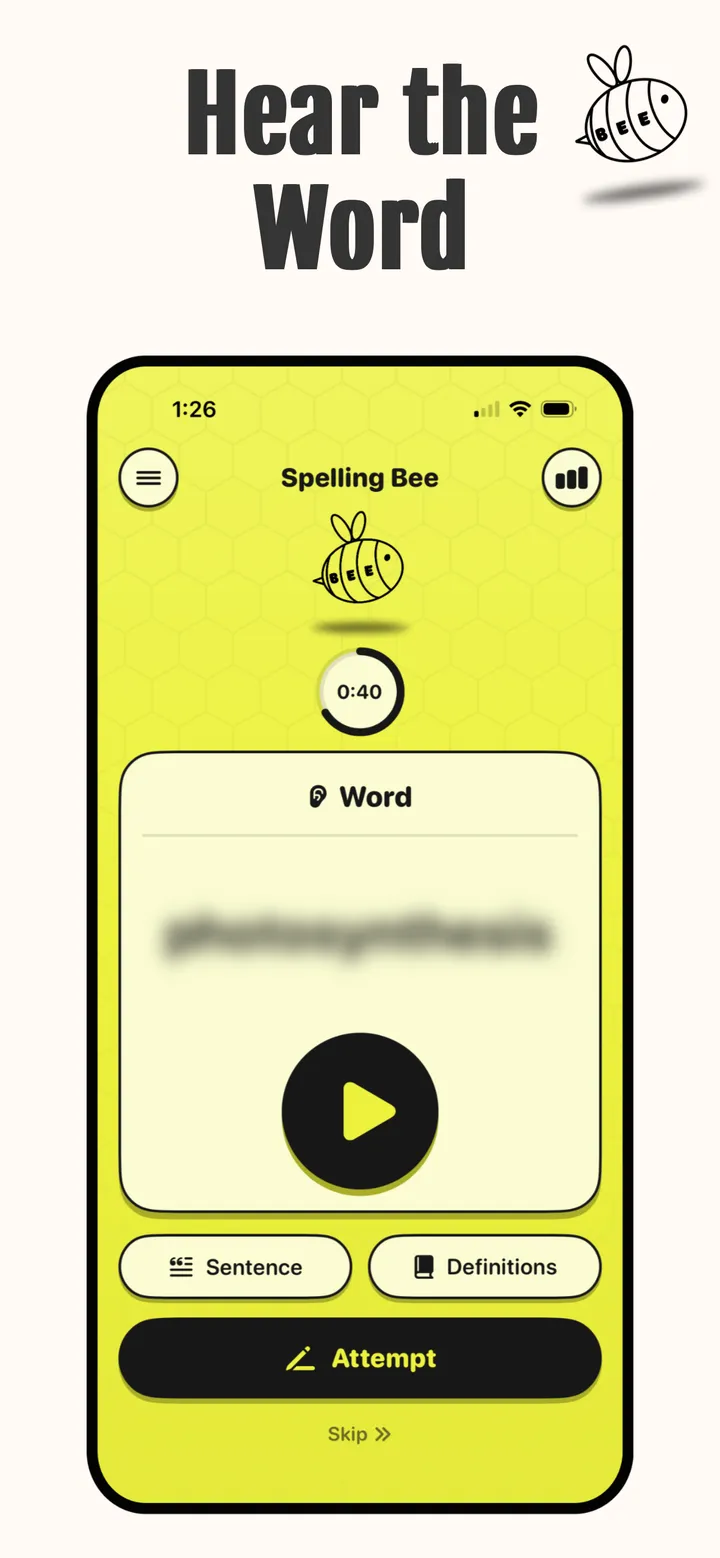
Tap play and your pronouncer says the word. Play it again as many times as you need.
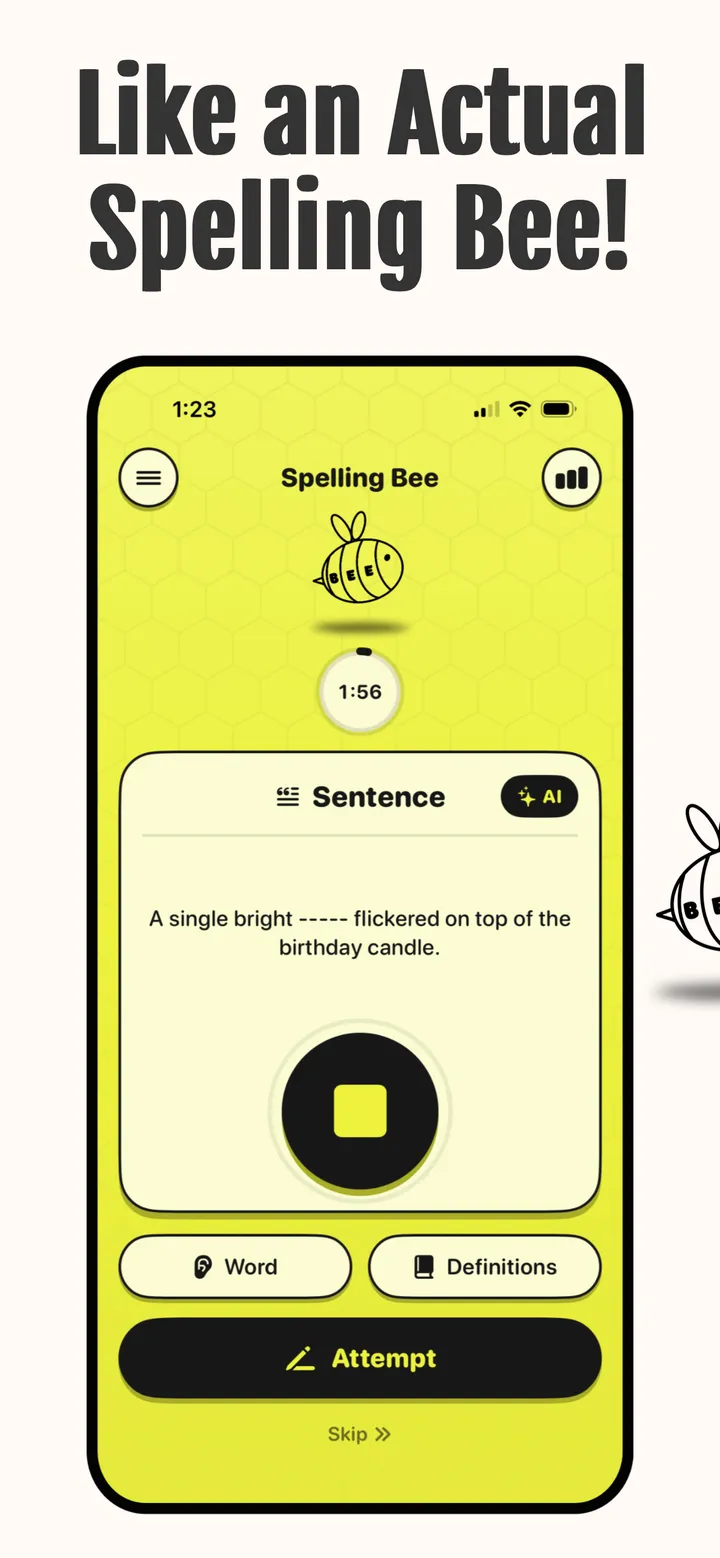
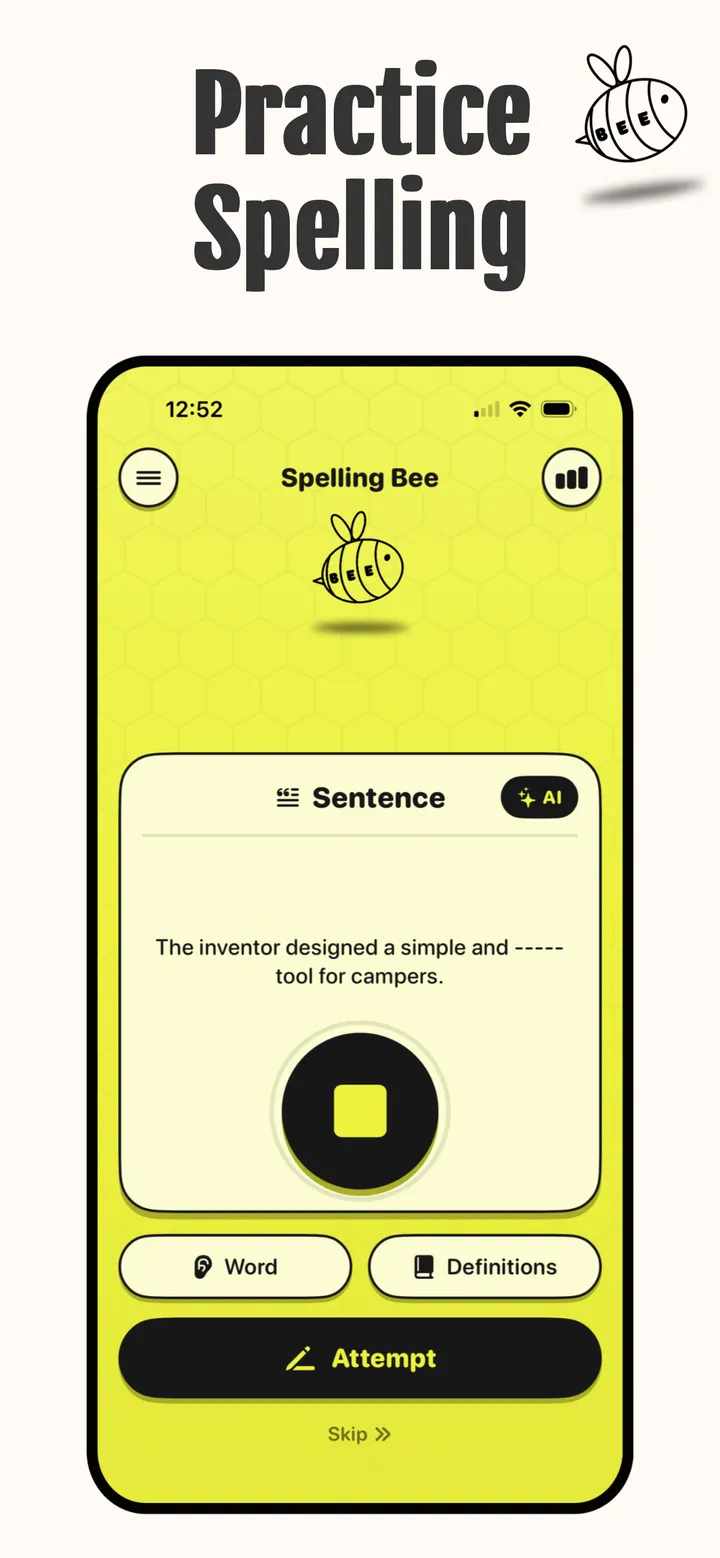
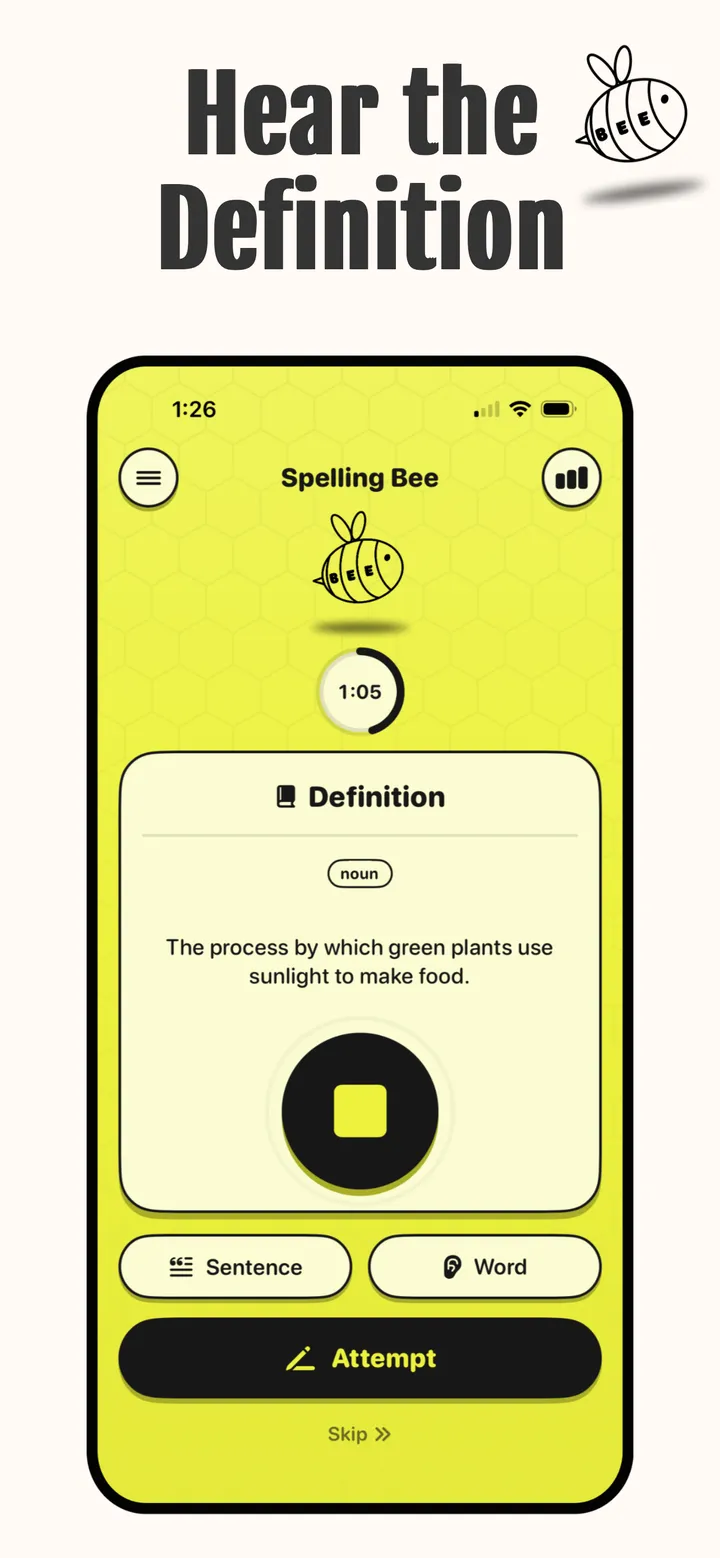
Get the definition, with its part of speech, or hear the word used in a sentence, the same questions you’d ask the pronouncer on stage.
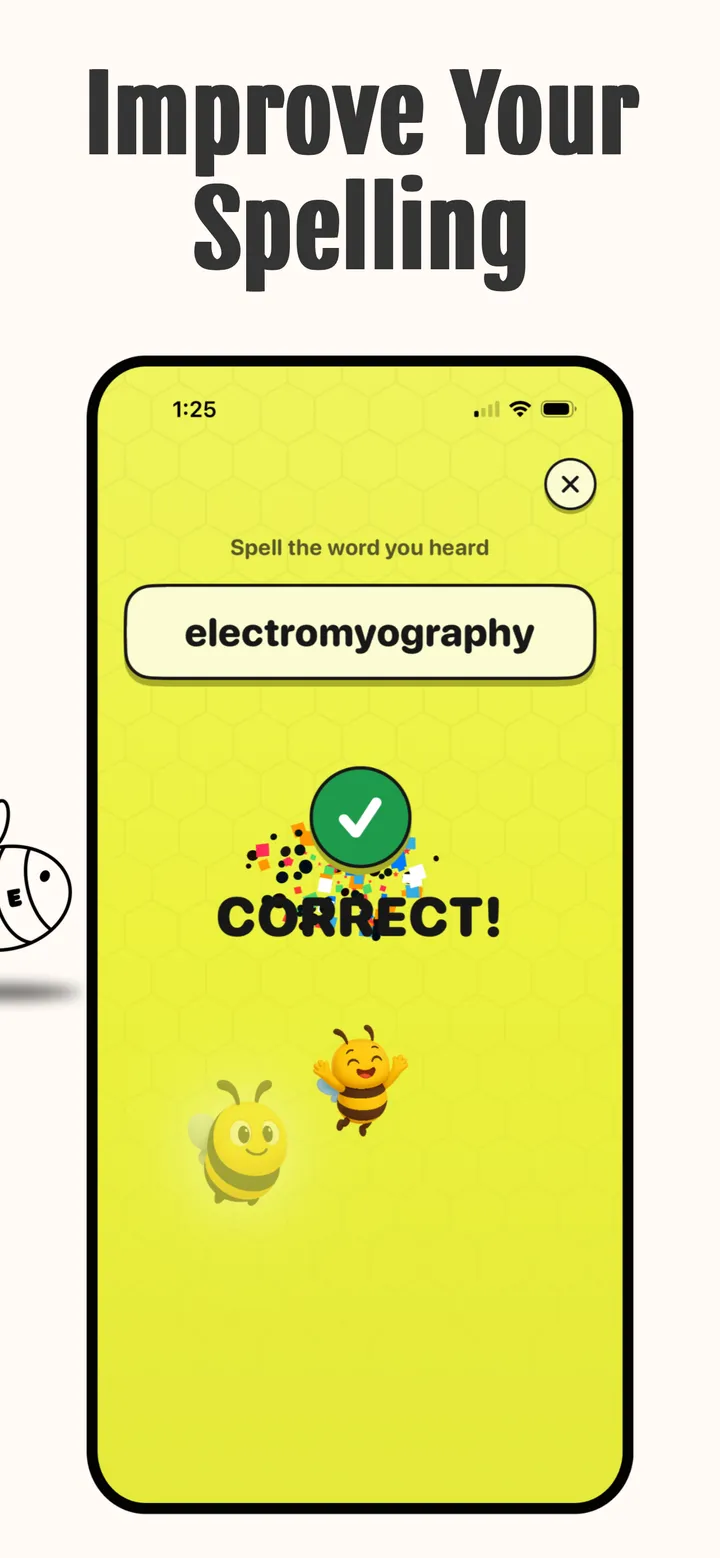
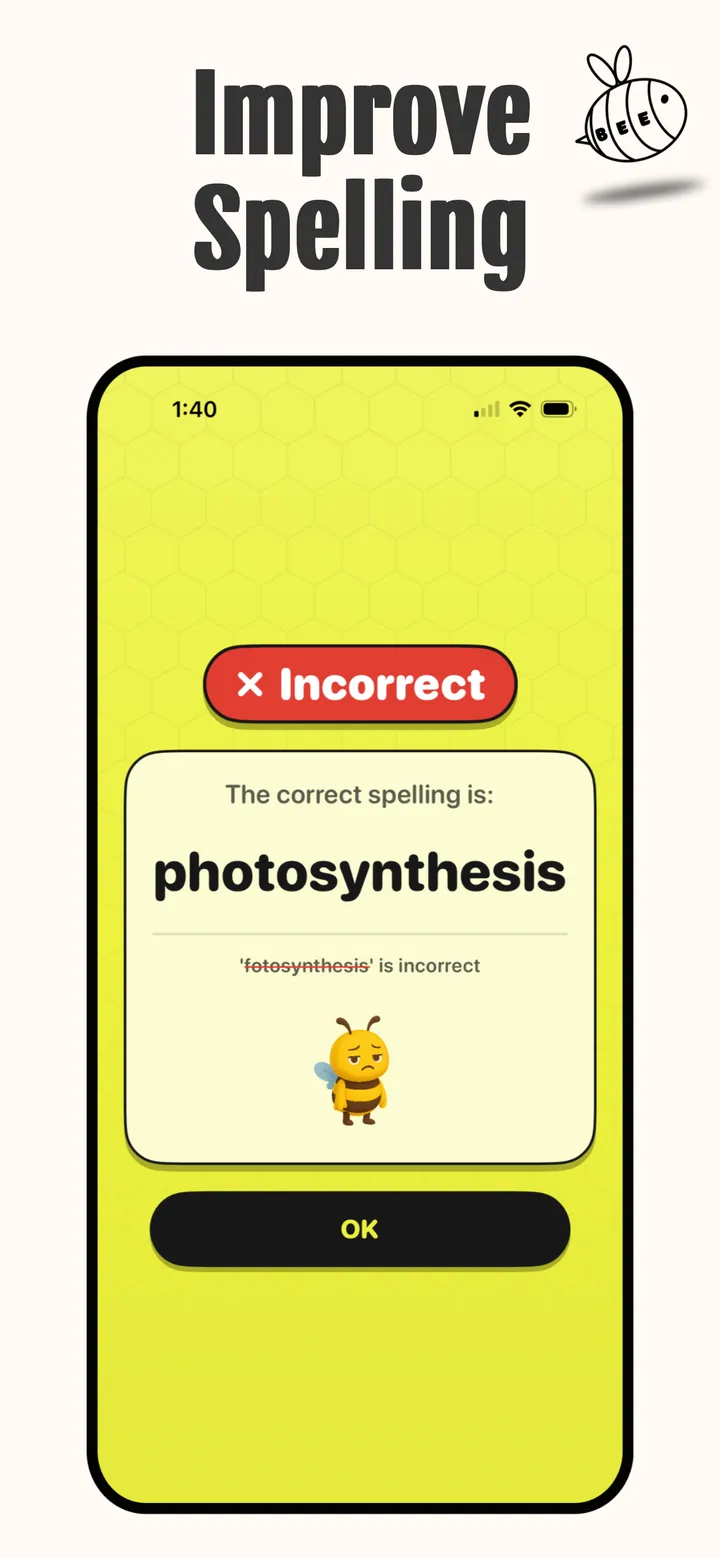
Tap Attempt and type your answer. Get it right and the confetti flies. Miss it and you see the correct spelling next to yours.
Inside the app
Features
Four levels, the voice you like, your own lists, and stats that show how far you’ve come.
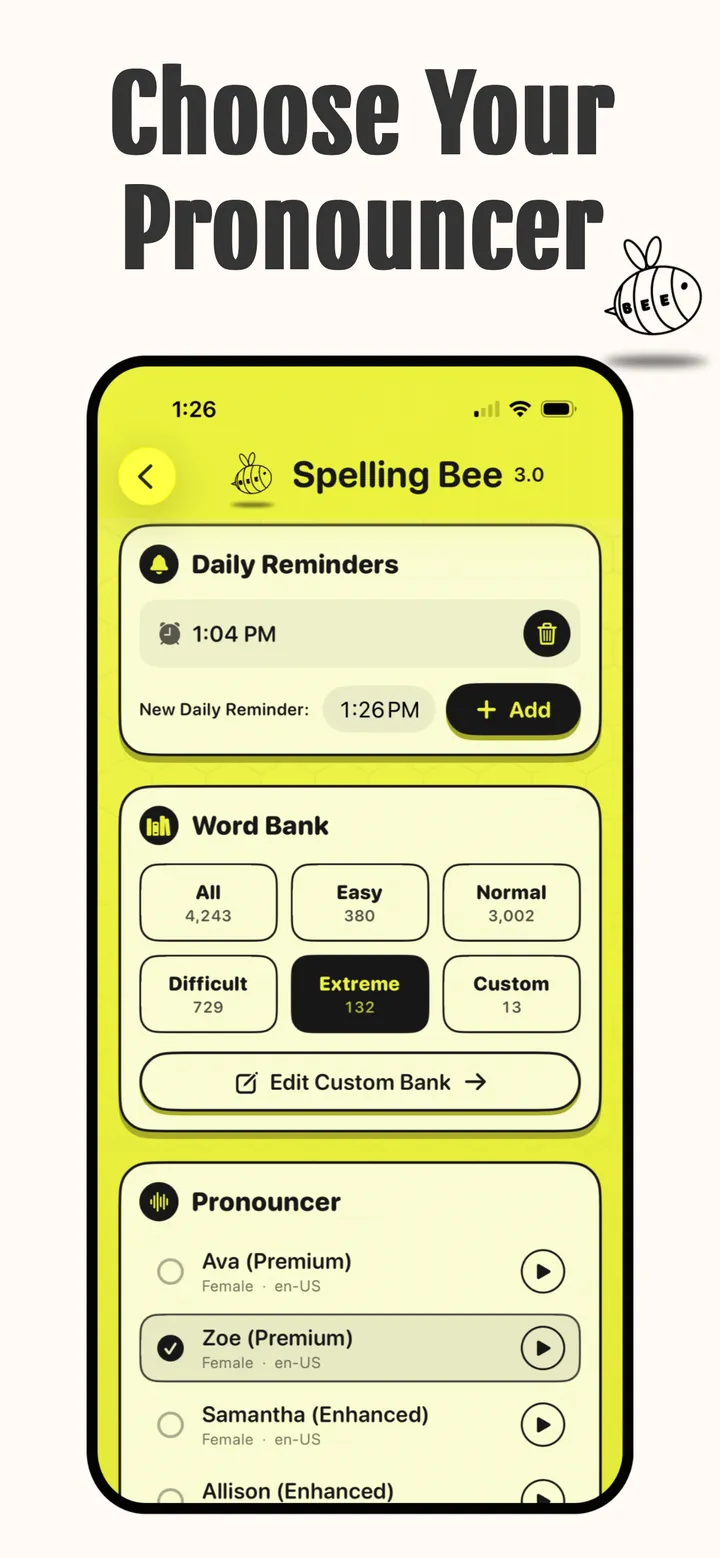
Start at Easy, then work up through Normal and Difficult to Extreme. Switch levels whenever you like, or practice a Custom level made from your own list.
Choose the voice that reads your words, and play a sample of each first. The app shows you how to add Apple’s more natural Enhanced and Premium voices.
Ask for the meaning, with its part of speech, or hear the word in a sentence. Where Apple Intelligence is available, the app can use it to write them.
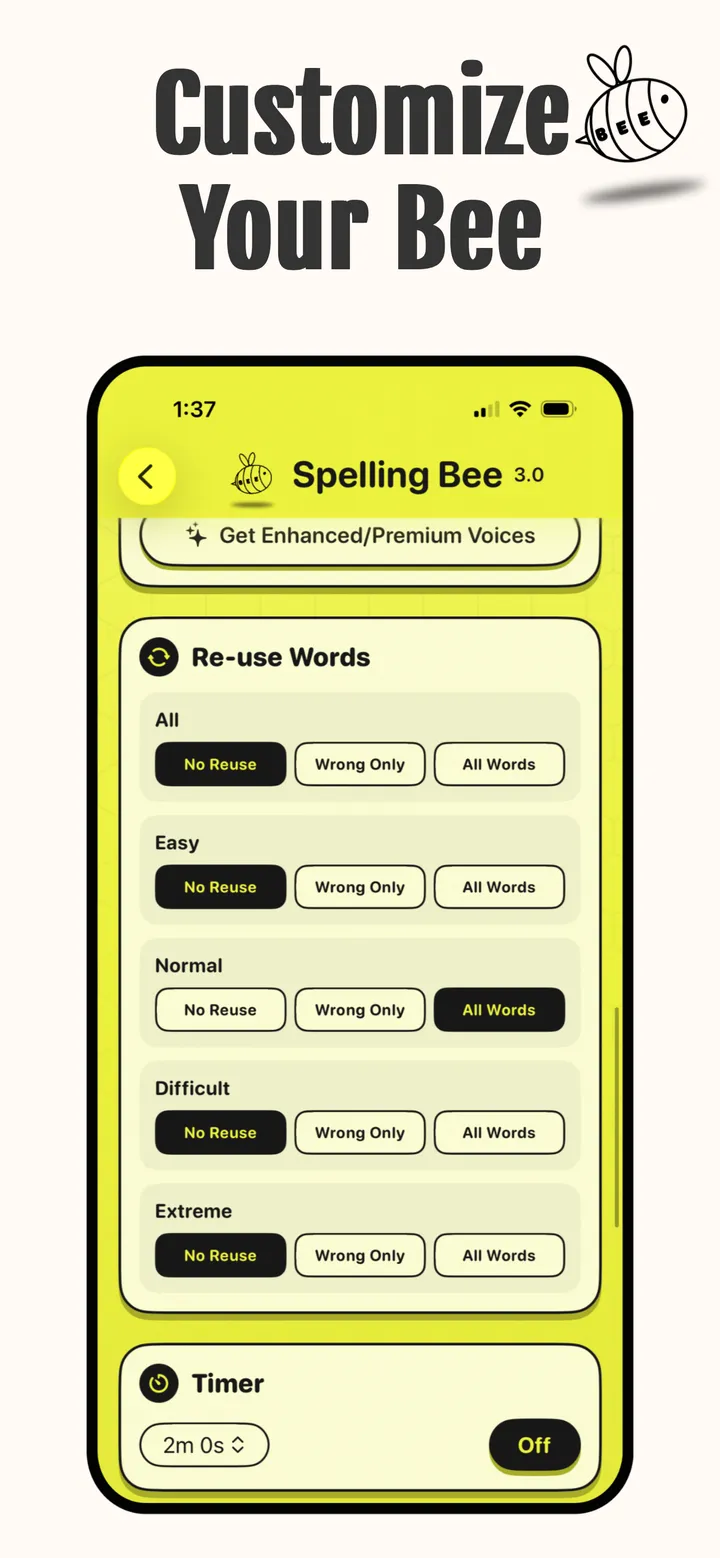
Turn on the optional timer to get used to time pressure, or leave it off and take your time.
Set each level to Wrong Only and the words you got wrong come back for another try.
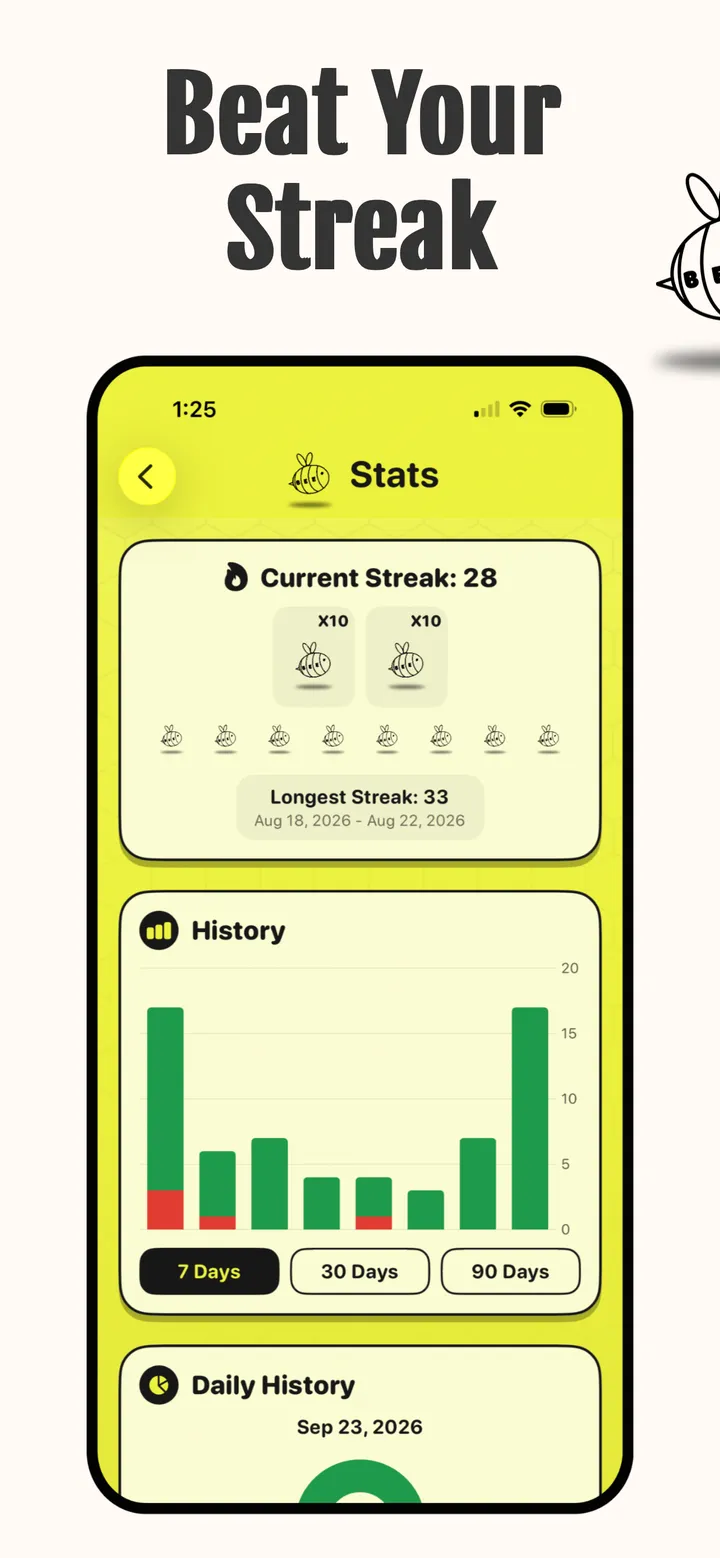
Practice every day and watch your streak grow, with your longest streak right beside it to beat.
Pick a time, or a few, and the app reminds you to practice each day.
Correct and incorrect words over the last 7, 30 or 90 days.
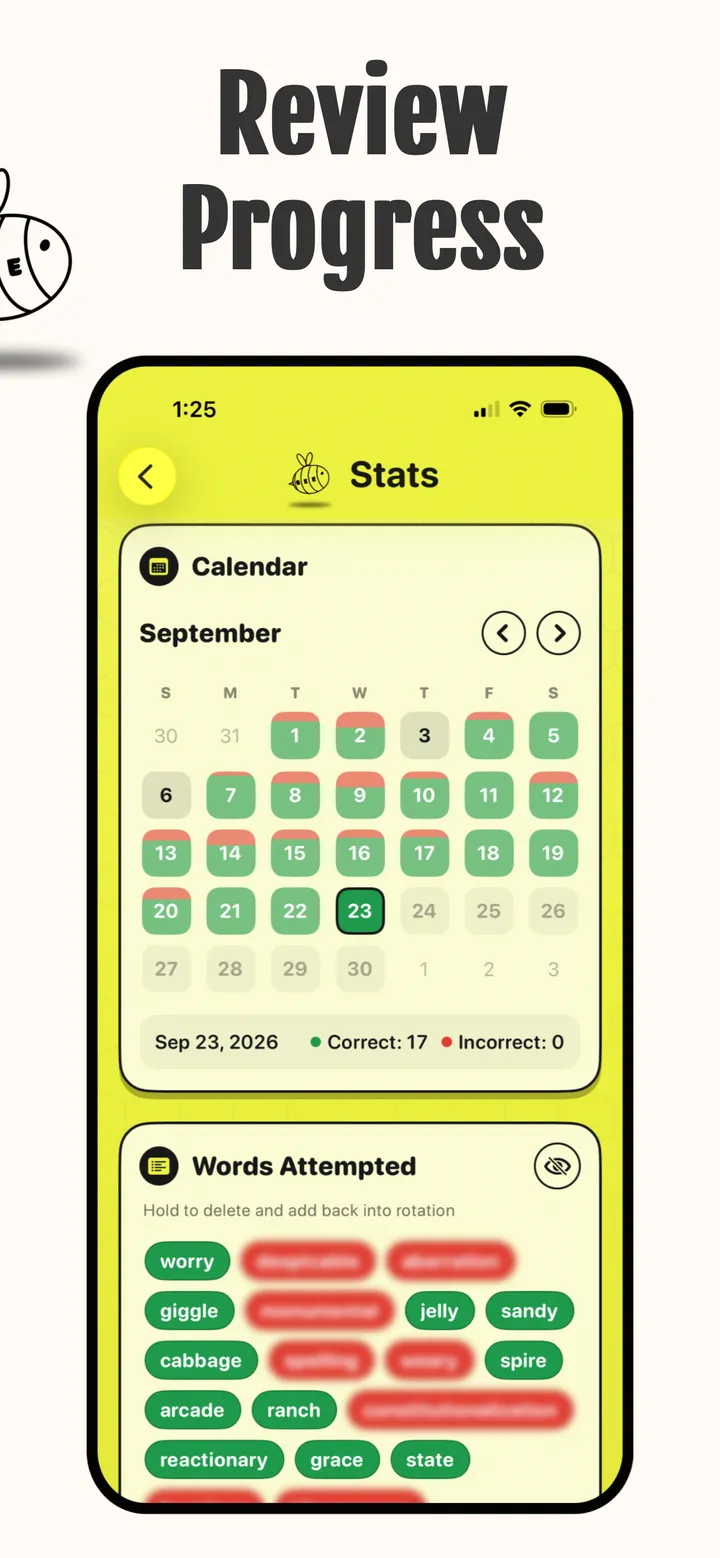
Every day you practiced, with how many words you got right and wrong.
Green for right, red for wrong. Press and hold a word to put it back into rotation.
Type words in or upload a CSV file to make a custom word bank: this week’s spelling test, your bee’s study list, anything.
Where Apple Intelligence is available, the app uses it to write definitions and sentences.
Who it’s for
Classroom, school or regional bee coming up? Practice it the way it runs on stage.
Add this week’s list from school as a custom word bank and drill it until it sticks.
Let the app do the pronouncing while students take turns at the spelling.
No more guessing how to say “onomatopoeia.” The pronouncer says it for you.
A few words a day, a reminder at the time you pick and a streak to protect.
Think you’re a strong speller? The Extreme level is waiting.
FAQ
Spelling bee practice and the app, answered. Something else? Get in touch.
A spelling bee practice app for iPhone, made by AH Apps LLC. It runs like a real bee: the app says a word, you can ask for the definition or hear it in a sentence, and then you type your spelling. You find out right away if you got it, and the app keeps track of your streak and progress. It has been on the App Store since 2024.
Practice the way the bee runs. Listen to the word, ask for the definition and a sentence when you’re unsure, picture the word, then spell it without looking. Keep a list of every word you miss and go back to those first. Short sessions every day work better than cramming the night before, and timed practice gets you used to the clock. Spelling Bee: Today’s Game covers each of these steps: a pronouncer, definitions and sentences on request, a wrong-words-only review, an optional timer, and streaks and reminders that keep you practicing daily.
Tap play and the pronouncer says your word. Tap Definition to hear what it means (the card shows the part of speech, such as noun) or Sentence to hear it used in a sentence, with the word blanked out on screen. Replay any of them as often as you like. When you’re ready, tap Attempt and type your spelling. A correct answer gets confetti; a miss shows you the correct spelling next to what you typed. Tap Skip to move on to the next word.
Rules vary from bee to bee, but spellers can usually ask the pronouncer to repeat the word, give its definition, use it in a sentence and tell them its part of speech. Some bees also allow questions about the word’s language of origin or other pronunciations. The app lets you practice the most common requests: hear the word again, the definition with its part of speech, and a sentence.
Yes. Pick from several pronouncers in settings, such as Ava, Zoe, Samantha and Allison, and play a sample of each before you choose. The voices come from your iPhone. The app shows you how to download Apple’s Enhanced and Premium voices, which sound more natural.
Four: Easy, Normal, Difficult and Extreme. Together they hold more than 4,000 words, from everyday words to tough competition words. You can also practice a Custom level made from your own word list. Change the level whenever you like.
Yes. Make a custom word bank by typing the words in or by uploading a CSV file, then practice it like any other level. It’s an easy way to drill this week’s spelling test or the official study list for your bee. Where Apple Intelligence is available, the app can use it to write definitions and sentences.
Yes. For each level you can choose No Reuse (every word is new), Wrong Only (only the words you missed come back) or All Words. The Words Attempted list shows every word you’ve tried, in green or red; press and hold a word to delete it and put it back into rotation.
Yes. The Stats screen shows your current and longest streak, a chart of correct and incorrect words over the last 7, 30 or 90 days, a calendar with your results for each day, and the full list of words you’ve attempted.
Yes, and it’s optional. Turn on the timer in settings, choose how long it runs and practice against the clock. Leave it off to take your time.
Yes. Set daily reminders for the times that suit you, and add more than one if you want to practice morning and evening. A reminder a day is an easy way to keep your streak alive.
Anyone who wants to spell better: students getting ready for a classroom, school or regional spelling bee, kids practicing for a weekly spelling test, parents who want help pronouncing the hard words, teachers running practice rounds, and adults who like a challenge at the Extreme level. The App Store rates it 4+.
No. The New York Times Spelling Bee is a puzzle where you make words from seven letters. Spelling Bee: Today’s Game is a classic spelling bee: you hear a word and spell it. It’s an independent app from AH Apps LLC and isn’t connected to the New York Times or to any spelling bee competition.
iPhone, with iOS 17.1 or later. The App Store also lists it for Macs with an Apple M1 chip or later (macOS 14.1 or later) and Apple Vision Pro (visionOS 1.0 or later). The app is in English.
Send questions, bug reports or ideas through the contact page at anthonyharveyapps.com/contact-us. Spelling Bee: Today’s Game is made by AH Apps LLC, an independent app developer.

Spelling Bee: Today’s Game for iPhone. Requires iOS 17.1 or later.
